---
title: GET HTML
description: " **Description** This Custom Command allows you to access and save the whole HTML content of the currently loaded page. You can then save this HTML source code into a property, download it as a file, or feed it to…"
url: "https://legacy.rtila.com/docs/get-html/"
updated: "2025-01-06"
category: Custom Commands
---
# GET HTML

**Description**
This Custom Command allows you to access and save the whole HTML content of the currently loaded page. You can then save this HTML source code into a property, download it as a file, or feed it to another command/flow for further parsing or other actions. ******How to configure and use this Custom Command**** :** 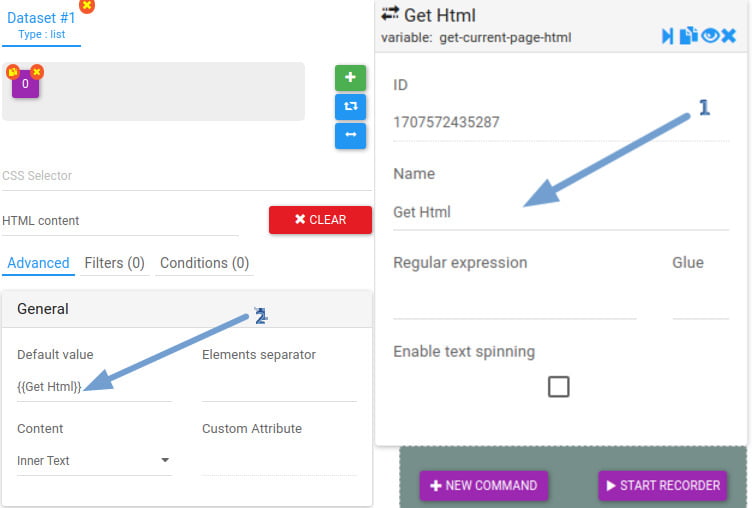 1) The name of the command that represents the HTML code of the current page.
2) Export the variable in the inspection mode. ****Watch Video Demo**** : [](https://youtu.be/tFdC2IrbYuo)